
Table of Contents (11 Sections)↓
1. What is RAMIS & Why is It Mandatory for Sri Lankan Businesses?
Introduced to modernize tax administration and eliminate manual paperwork, RAMIS is a comprehensive enterprise tax engine deployed by the Department of Inland Revenue Sri Lanka.
RAMIS connects taxpayer declarations with banking transactions, customs import manifests (ASYCUDA), and cross-referenced supplier returns, providing IRD tax officers with complete transactional transparency.
Key Mandatory Functions Handled via RAMIS:
2. RAMIS User Registration, TIN/PIN Setup & Security Protocols
To access RAMIS services, every corporate entity and sole proprietor must complete registration on the official IRD web portal (www.ird.gov.lk):
1. TIN Acquisition: Obtain a 9-digit Taxpayer Identification Number (TIN) from the IRD Primary Registration Unit.
2. Portal User ID & PIN Generation: Request an e-Services PIN code authenticated via registered company email and director National Identity Card (NIC) verification.
3. Role-Based Portal Access: Assign portal roles (Taxpayer Administrator, Preparer, Approver, or Appointed Tax Agent).
Security Best Practice: Never share primary administrative PIN credentials across bookkeeping staff. Appoint dedicated sub-users with 'Filing / Submission' privileges to maintain accountability.
3. Sri Lanka Statutory Tax Filing Calendar & RAMIS Deadlines
Missing statutory filing or payment deadlines on RAMIS results in automated late submission penalties (up to LKR 50,000 per return) and monthly compounding interest under Section 159 of the Inland Revenue Act.
Standard Sri Lanka Tax Calendar:
4. RAMIS VAT CSV Schedules: Exact Technical Specifications
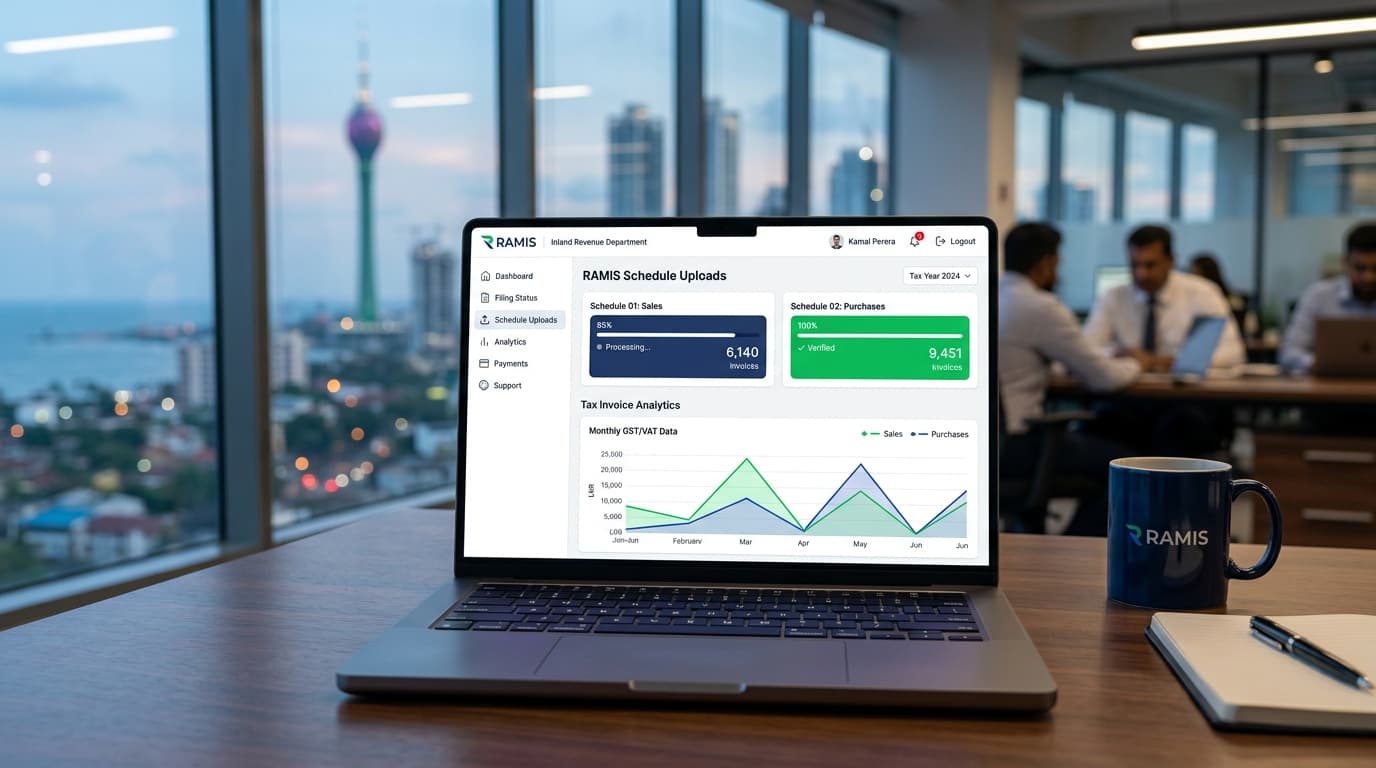
When filing a VAT return on RAMIS, taxpayers cannot simply enter total sales and purchase values. They must upload detailed itemized CSV schedules verifying every underlying transaction.
1. Sales Schedule (Schedule 01):
Must contain: Serial Number, Customer TIN, Customer Name, Tax Invoice Number, Tax Invoice Date (YYYY-MM-DD), Base Value of Supplies (LKR), Output VAT Amount (18%), Suspended Value (SVAT), and Exemption Code.
2. Purchase Schedule (Schedule 02):
Must contain: Serial Number, Supplier TIN, Supplier Name, Supplier Tax Invoice Number, Invoice Date, Base Value of Purchases, Input VAT Paid, Input Tax Credit Claimed, and Disallowed Tax.
Critical Formatting Rules:
5. Customer & Supplier TIN Validation to Prevent Credit Rejection
RAMIS automatically cross-references every supplier TIN in your Purchase Schedule against the national taxpayer database in real time during upload.
Common Rejection Scenarios:
6. Uploading Simplified VAT (SVAT) Credit & Debit Schedules
For Registered Identified Purchasers (RIP) and Registered Identified Suppliers (RIS) operating under the Simplified VAT Scheme, RAMIS requires separate monthly voucher reconciliations:
Discrepancies between supplier SVAT declarations and purchaser voucher confirmations prevent the return from reaching 'Approved' status on the portal.
7. Generating Payment Vouchers & CRN for LankaPay / Online Banking
Direct cash or manual check deposits at IRD cash counters are no longer standard. All statutory payments are settled electronically via the Payment Voucher (CRN) mechanism:
1. Log into RAMIS and navigate to e-Payments → Create Payment Voucher.
2. Select the Tax Type (VAT, SSCL, WHT, APIT, CIT), Tax Period (e.g., 2611 for Quarter 1 2026), and enter the payable amount.
3. The system generates a Payment Voucher containing a 14-digit Customer Reference Number (CRN).
4. Log into your commercial bank online portal (Commercial Bank, Sampath, HNB, BOC), select Gov Payments / LankaPay / IRD Tax, enter the CRN, and authorize electronic fund transfer.
5. The RAMIS ledger updates automatically with a digital receipt within 2 to 24 hours.
8. Common RAMIS Upload Validation Errors & How to Fix Them
Understanding RAMIS system error codes saves finance teams hours of troubleshooting:
9. Maintaining Digital Audit Trails for IRD Tax Inquiries
Under Section 119 of the Inland Revenue Act, businesses are legally required to retain all underlying tax records, electronic files, invoices, receipts, and bank statements for a minimum of 5 years.
In the event of an IRD Desk Review or Comprehensive Field Audit, taxpayers must produce the original digital CSV files uploaded to RAMIS alongside matched general ledger transaction journals.
10. 1-Click RAMIS-Compliant CSV Exports in SyncBooks
SyncBooks eliminates the manual pain of compiling, formatting, and debugging RAMIS schedules:
Discover how SyncBooks's Tax module produces 1-click IRD RAMIS-ready schedules and eliminates filing errors.
11. Frequently Asked Questions (FAQ)
What is RAMIS in Sri Lanka?
RAMIS (Revenue Administration Management Information System) is the Inland Revenue Department's official web-based tax portal used for filing tax returns, uploading transaction schedules, and generating payment vouchers.
What format is required for RAMIS schedule uploads?
RAMIS strictly accepts plain `.csv` (Comma Separated Values) text files formatted to exact IRD column schemas without currency symbols or commas in numerical fields.
What is a CRN on a RAMIS Payment Voucher?
A Customer Reference Number (CRN) is a unique 14-digit identifier generated by RAMIS that links your online bank transfer (via LankaPay / commercial banking) to your specific tax account and period.
What happens if a supplier is not registered for VAT in RAMIS?
If you enter a supplier TIN that is not registered for VAT in your Purchase Schedule, RAMIS will reject your claim for Input Tax Credit on that invoice.
How long must businesses keep RAMIS tax filing records?
Under Sri Lankan tax law, all accounting ledgers, invoices, vouchers, and uploaded RAMIS CSV files must be retained for at least 5 years from the end of the assessment year.
📌Key Takeaway & Summary
The IRD RAMIS online portal is the heartbeat of Sri Lankan corporate tax compliance. By replacing fragile spreadsheet workflows with SyncBooks's automated, pre-validated RAMIS export engine, businesses achieve seamless compliance, zero upload rejections, and complete audit readiness.
Published by the SyncBooks Knowledge & Research Team — Sri Lanka Accounting Cloud.